 DESK
DESKEdit, sign and fix any PDF.
Comment, fill in and sign, put pages in order, scan and convert. Everything happens on your phone: no account, and nothing is uploaded.
From the maker of DeskTransfer. Android 8 or newer.
One app for the things you do with a PDF
The everyday jobs are free. The heavy ones come with Pro.
Mark it up, put it in order
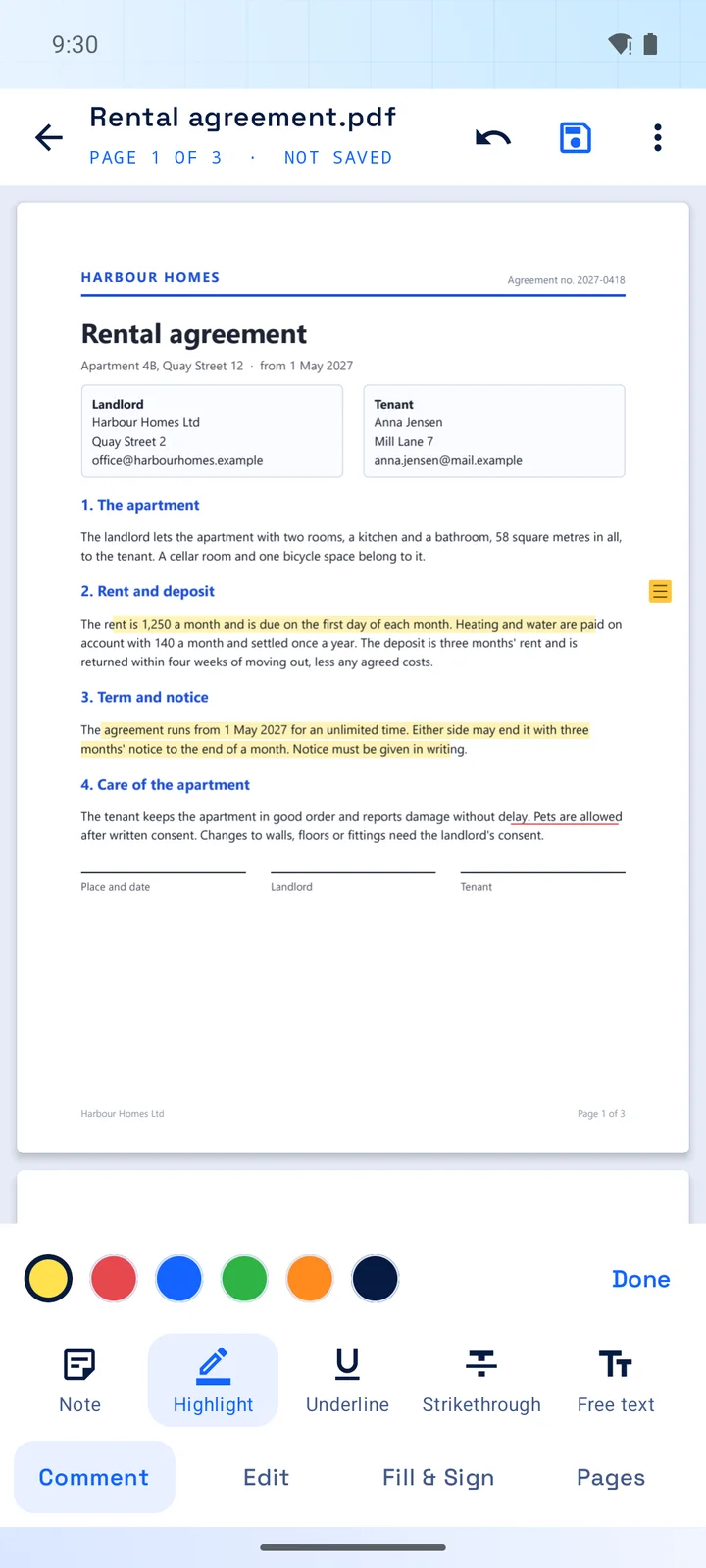
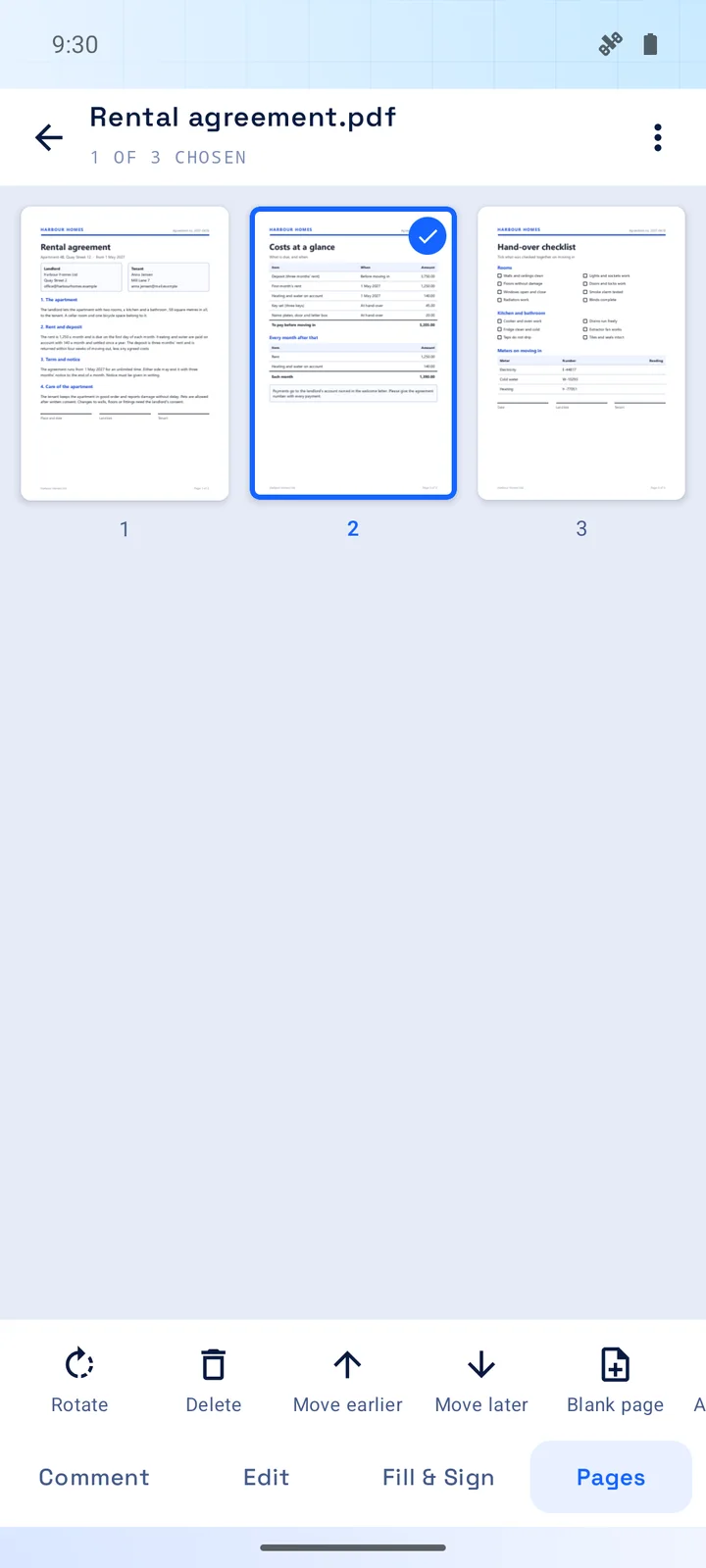
Highlights follow the words, like a marker on paper that never slips. Pages can be turned, removed, moved and added.
- Highlight, underline, strike through, notes, text, drawing and shapes
- Rotate, delete, move and add pages; photos become pages
- Join PDFs into one, and make them smaller
- Comments are ordinary PDF comments: other programs show them too
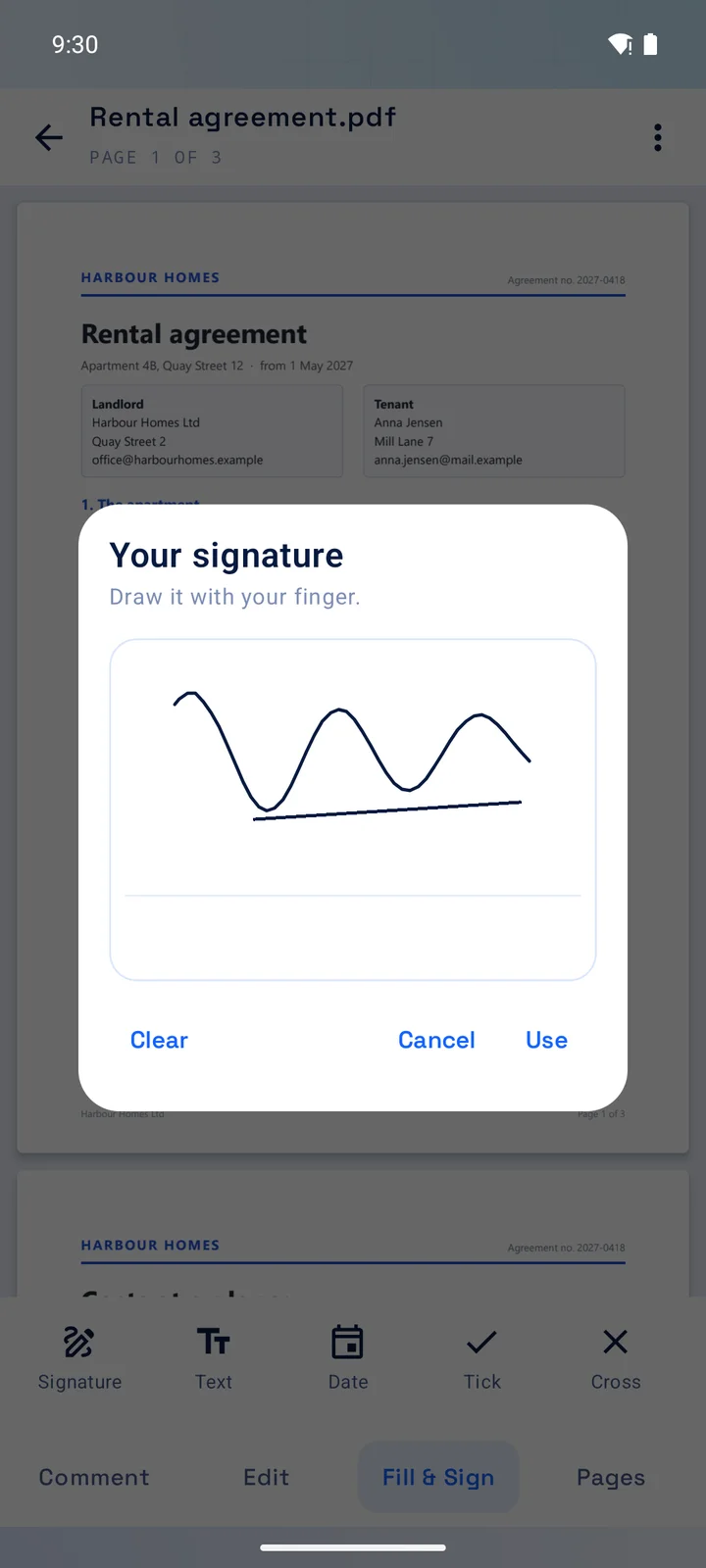
Sign with your finger
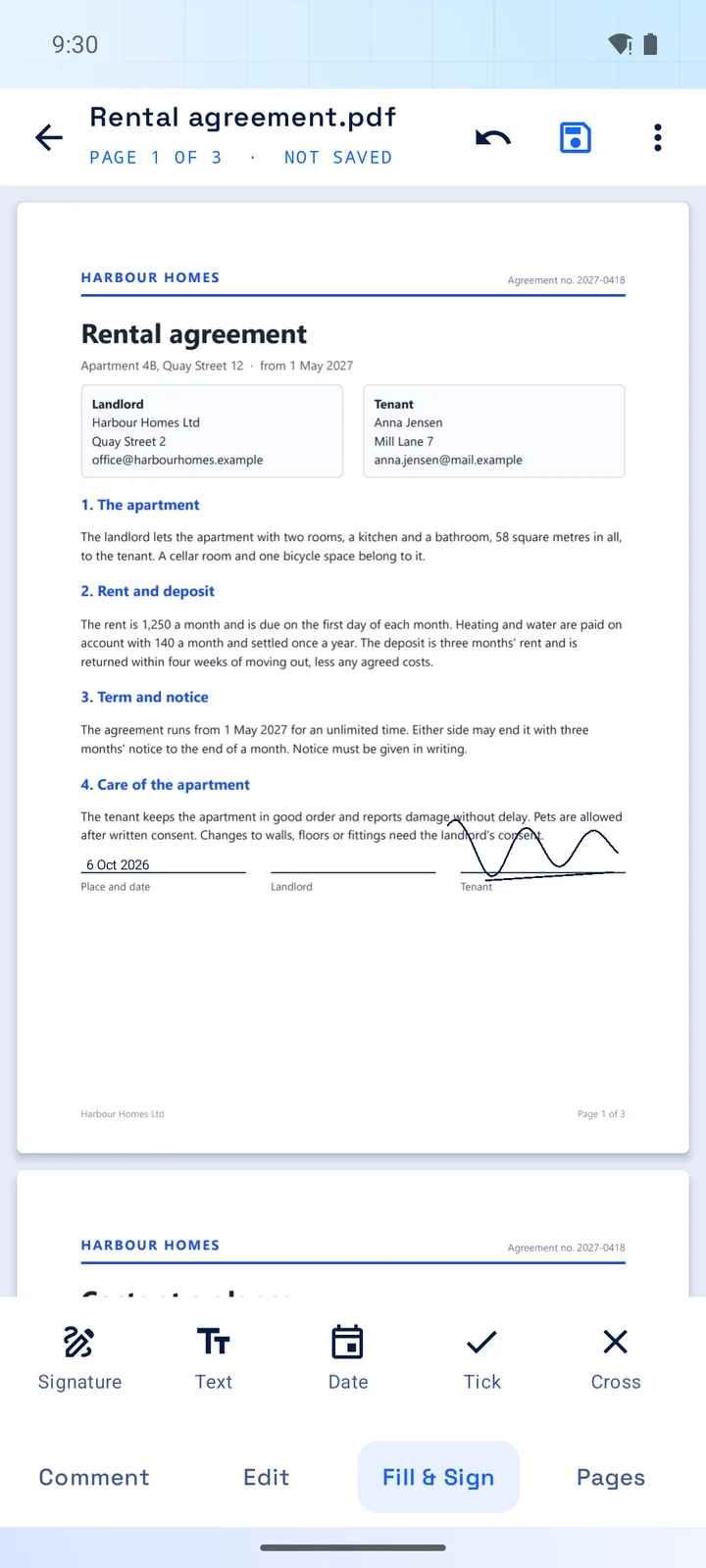
Type into the fields of a form, tick the boxes, add today's date, and put your signature on the line. The signature is kept for next time.
- Form fields, tick boxes and choice lists
- Text, date, ticks and crosses anywhere on the page
- Move it and make it bigger or smaller after placing
Scan, convert, protect
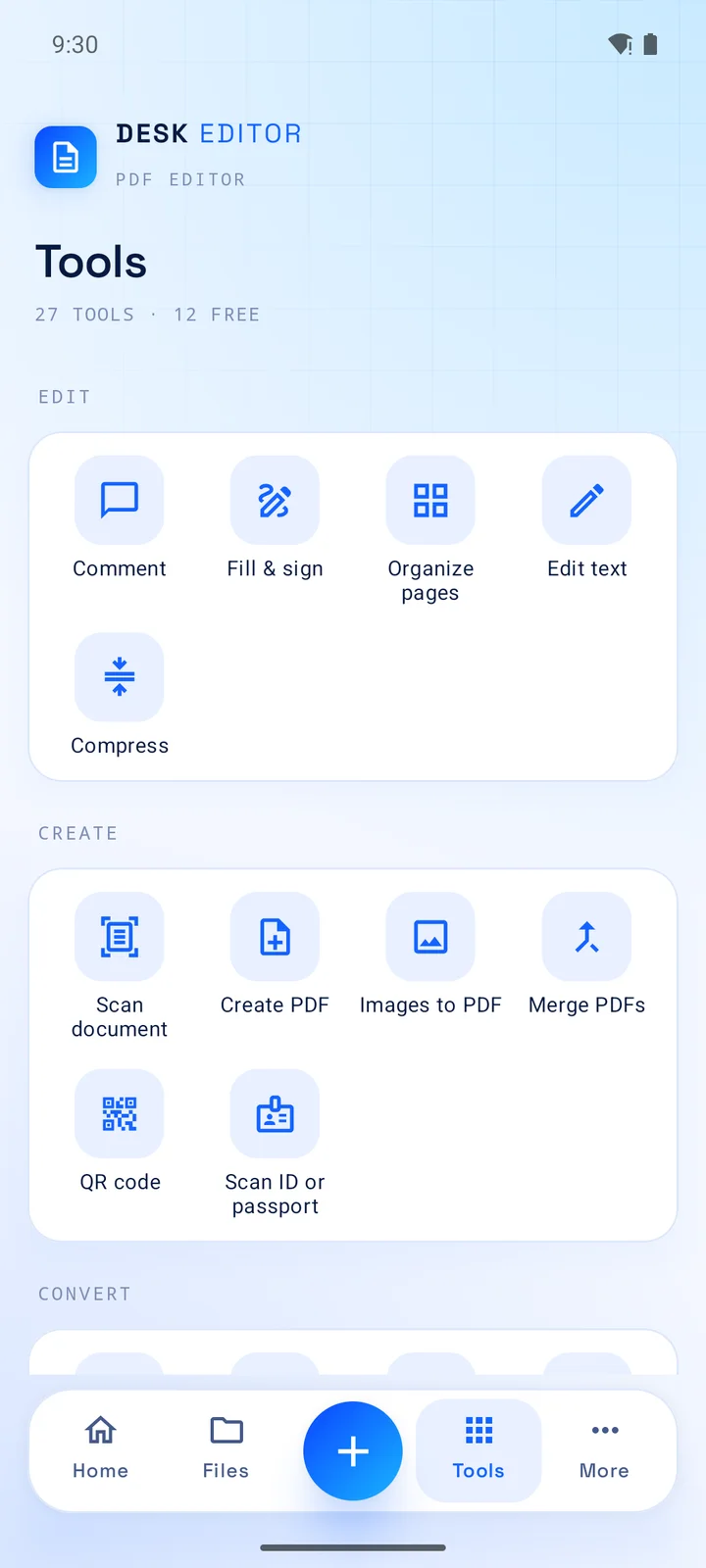
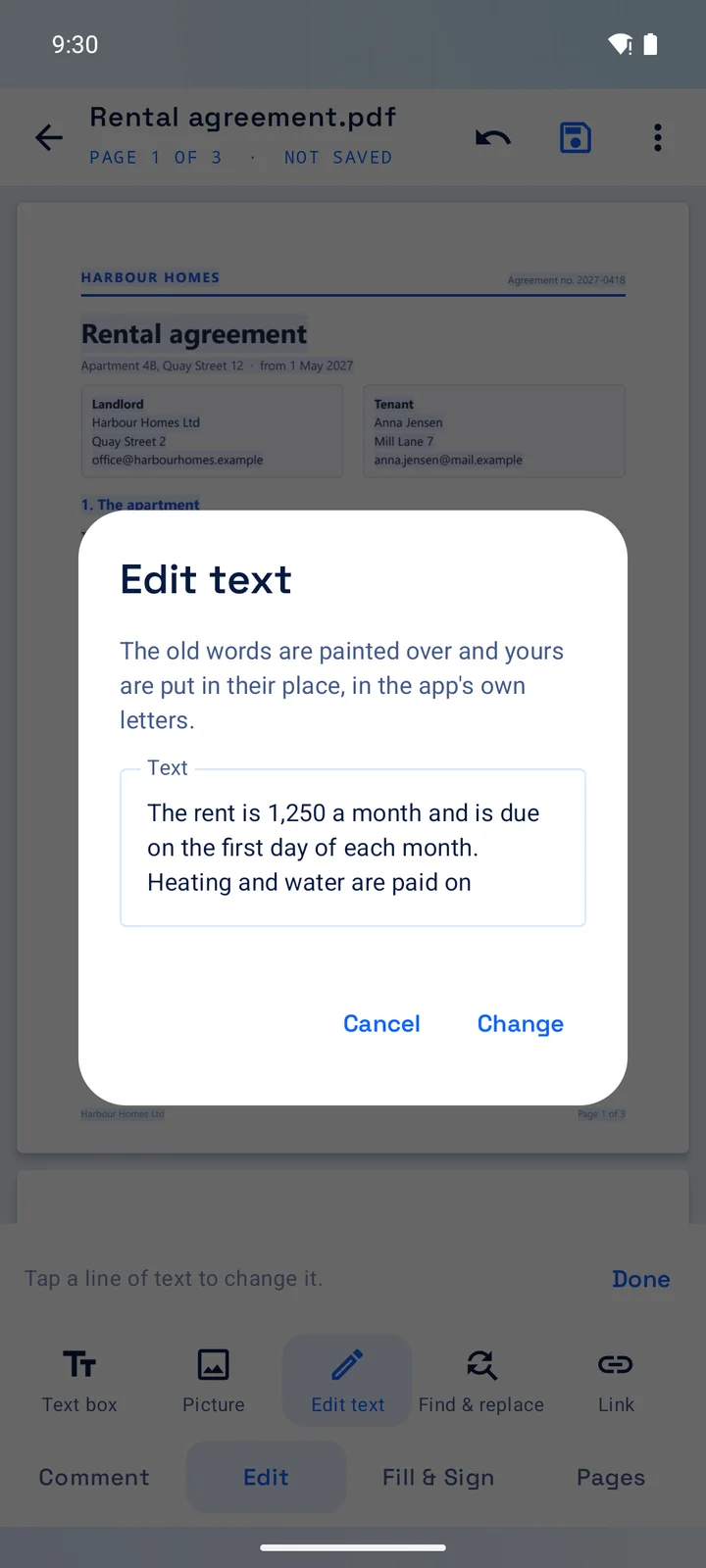
Photograph paper into a PDF, turn pictures and text into PDFs and back, and read or make QR codes. With Pro: change the words that are already in a PDF, and much more.
- Scan with the camera, in colour, grey or black and white
- Pictures to PDF, PDF to pictures, PDF to text, text to PDF
- Pro: change existing text, find and replace, black out for good
- Pro: Word, Excel, PowerPoint and web pages to PDF, passwords, page numbers, watermarks
Your PDFs stay on your phone
DeskEditor has no account, no cloud and no server. It opens the files you choose and works on them on the phone. The free version shows an ad banner from Google; Pro has none.
- Nothing is uploadedWhat you open, sign or scan is never sent anywhere by the app.
- No storage permissionThe app sees only the files you hand it through Android's own file picker.
- No AINothing in the app sends your documents to an AI service, and there is no text recognition.
- Ads only in the free versionThey come from Google, and you are asked first where the law requires it.
Get DeskEditor
Free, with an optional Pro: by the week, month or year, or once for good.
Android
Coming soon to Google PlayGood to know
Privacy policy · Terms of use · DeskTransfer, the family's file transfer app
Good to know
Is it free?
Yes, with an ad banner. Commenting, filling in and signing, organising pages, scanning and the basic conversions are free. Pro unlocks the other tools and removes the ads.
Does it need the internet?
No, except for the ad banner of the free version and for the "Web page to PDF" tool, which loads the page you ask for.
Can other programs read what I save?
Yes. DeskEditor saves ordinary PDFs. Comments are ordinary PDF comments, and signatures and typed text become part of the page.
Does it work with DeskTransfer?
They are separate apps from the same maker. DeskTransfer moves files between your phone and your PC; DeskEditor works on PDFs on the phone.
Is there a version for Windows or iPhone?
No. DeskEditor is for Android.